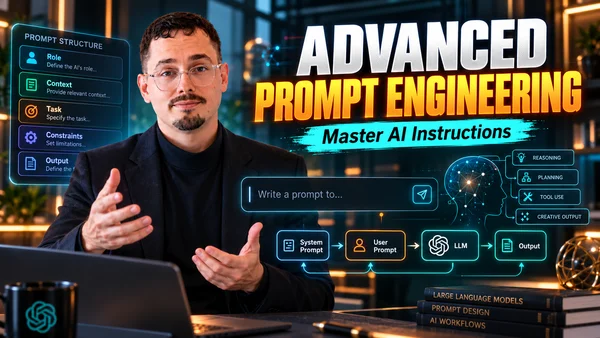
Coding with ChatGPT: prompts, tests, documentation and governance
Use ChatGPT in the development cycle: code prompts, IDE, MCP, security and governance.
- Duration
- 14 h · 2 days
- Level
- Intermediate
- Format
- On site · Remote · Blended
- Max. group size
- 12 participants
Overview
This program shows how to get the most from ChatGPT for development: comparing tools, configuring the assistant, writing development prompts, generating, debugging, refactoring and testing code, integrating it into an editor, generating images and understanding MCP. It also presents the pitfalls and limits — hallucinations, prompt injection, data flows — and the governance framework in companies.
Who this program is for
- Web, back-end or data developers
- Quality engineers and DevOps
- Tech leads
Prerequisites
- Development knowledge in the languages and frameworks used
Learning objectives
- Identify the situations where AI is useful in IT
- Compare the main AI tools for developers
- Configure ChatGPT and write development prompts
- Integrate the assistant into your editor
- Recognize strengths, limits and security risks
- Understand MCP and compare it with custom GPT actions
- Build an application with the help of the assistant
Detailed curriculum
4 modules · 14 h · 2 days
Uses and prompts for development
- Uses of AI in IT
- Tool comparison: ChatGPT, Gemini, Claude, Copilot
- ChatGPT versions and configuration
- Prompting techniques for code
- Best practices
Solve a few development tasks with the assistant.
Generate, test, debug
- Code generation
- Tests, debugging and refactoring
- Limits: quality, consistency and security
- Developing a small web application
- Extensions and IDE integration
Build an application with the help of the assistant.
MCP and customization
- MCP principles
- Using an MCP client
- Servers useful to developers
- Custom GPT with REST actions
- Comparing the approaches
Pitfalls, security and governance
- Hallucinations and false assurances
- Prompt injection and data flows
- Intellectual property
- Governance and compliance in companies
- Team charter
Write the AI usage charter for a development team.
Tools and technologies
Teaching methods
- Alternating short lectures and hands-on work
- Live demonstrations by the trainer
- Capstone project built throughout the modules
- Group corrections and discussion of best practices
Assessment
- Hands-on exercises corrected in each module
- Mini-project completed at the end of the course
- Knowledge-check quiz
Required equipment
- A computer with an internet connection
- An IDE (VS Code or other) and a ChatGPT account
Resources provided
- Course materials and repository of corrected exercises
Career outcomes
- An application built with the assistant
- A library of development prompts
- The team's governance rules
Related video courses
My video courses that go with this program, to get ready for the training or to review afterwards. Free with an account.