Artificial Intelligence
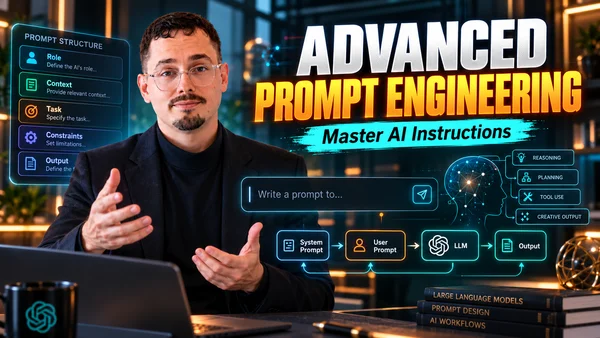
Advanced Prompt Engineering
Go from a rough prompt to a professional method: structure your requests (R-C-T-C-O, RTF, CRAFT, RISEN), master advanced techniques (few-shot, chain of thought, personas, chaining), manage tokens and context, choose the right model at the right cost, control the output and use AI responsibly. You leave with a framework, checklists and a reusable prompt.
📋 Course syllabus
INTRODUCTION
1
01 - The promise of the course: prompting, context, models, cost and responsible use
Lesson
2
02 - Who I am and where to follow me
Lesson
3
03 - What you get at the end: the framework, the checklists and a reusable prompt
Lesson
4
04 - The roadmap of the 8 modules
Lesson
5
05 - Good vs bad prompt: why prompt B wins
Lesson
MODULE 1 · HOW AI MODELS WORK
6
06 - Module intro: understanding what's behind ChatGPT, Claude and Copilot
Lesson
7
07 - What an LLM is, and the difference between tool and model
Lesson
8
08 - Temperature: precise or creative
Lesson
MODULE 2 · ADVANCED PROMPT ENGINEERING
9
09 - Module intro: going from a vague request to a professional prompt
Lesson
10
10 - 4 terms: prompt, prompt engineering, specificity, instruction hierarchy
Lesson
11
11 - The anatomy of R-C-T-C-O
Lesson
12
12 - From a weak prompt to a structured prompt
Lesson
13
13 - Example: a customer email built step by step
Lesson
14
14 - RTF, the minimum for everyday requests
Lesson
15
15 - CRAFT and RISEN for richer tasks
Lesson
16
16 - Decomposition and iterative improvement
Lesson
MODULE 3 · ADVANCED PROMPTING TECHNIQUES
17
17 - Module intro: advanced techniques and when to use them
Lesson
18
18 - Zero-shot vs few-shot
Lesson
19
19 - Negative examples: showing what to avoid
Lesson
20
20 - Chain of Thought: reasoning step by step
Lesson
21
21 - Personas: giving the AI a point of view
Lesson
22
22 - Prompt chaining: one source, four outputs
Lesson
MODULE 4 · SMART TOKEN USAGE & CONTEXT
23
23 - Module intro: a conversation is not infinite
Lesson
24
24 - Tokens and the context window
Lesson
25
25 - The limits of a conversation, ChatGPT vs Claude
Lesson
26
26 - Memory: conversation, project or account
Lesson
27
27 - Sorting context: essential, optional or noise
Lesson
28
28 - The inverted pyramid
Lesson
29
29 - Lost in the middle
Lesson
30
30 - Delimiters
Lesson
31
31 - Long documents: summarize, select, split, spread out
Lesson
32
32 - Chunk & summarize vs targeted extraction
Lesson
33
33 - Example: lightening an overloaded prompt
Lesson
MODULE 5 · CHOOSING THE RIGHT MODEL & COST
34
34 - Module intro: the right tool, the right model, at the right cost
Lesson
35
35 - ChatGPT, Claude or Copilot: the differences
Lesson
36
36 - The 4 criteria for choosing a model
Lesson
37
37 - Which tool for your profile
Lesson
38
38 - The multi-model decision framework
Lesson
39
39 - Input vs output tokens: which costs more
Lesson
40
40 - Managing costs: caching, model choice, output control
Lesson
MODULE 6 · ADVANCED OUTPUT CONTROL
41
41 - Module intro: deciding the result before the AI writes
Lesson
42
42 - The 6 levers to control the response
Lesson
43
43 - Behavior constraints vs format constraints
Lesson
44
44 - One single instruction for a fully controlled result
Lesson
MODULE 7 · RESPONSIBLE & ETHICAL AI
45
45 - Module intro: when to verify, and which data to entrust to which account
Lesson
46
46 - Hallucinations and their signs
Lesson
47
47 - Making the model show its evidence
Lesson
48
48 - The 4 safeguards at work
Lesson
49
49 - Protecting your data: what "training" means
Lesson
50
50 - Each tool's guarantees depending on the account
Lesson
51
51 - Individual plan vs enterprise plan
Lesson
52
52 - Case: spotting a plausible but unsourced answer
Lesson
53
53 - Six real cases: trust or verify?
Lesson
MODULE 8 · PUTTING IT ALL TOGETHER
54
54 - Module intro: tying everything into a single method
Lesson
55
55 - The complete 6-step workflow
Lesson
56
56 - Example: from rough notes to an executive brief
Lesson
57
57 - Your reusable prompt template
Lesson
58
58 - The 4 checklists
Lesson
CONCLUSION AND BONUS
59
59 - Glossary (1/2)
Lesson
60
60 - Glossary (2/2)
Lesson
61
61 - Bonus intro: going further with your tool
Lesson
62
62 - Setting up and using ChatGPT, Claude and Copilot well (1/6)
Lesson
63
63 - Setting up and using ChatGPT, Claude and Copilot well (2/6)
Lesson
64
64 - Setting up and using ChatGPT, Claude and Copilot well (3/6)
Lesson
65
65 - Setting up and using ChatGPT, Claude and Copilot well (4/6)
Lesson
66
66 - Setting up and using ChatGPT, Claude and Copilot well (5/6)
Lesson
67
67 - Setting up and using ChatGPT, Claude and Copilot well (6/6)
Lesson
68
68 - 7-day action plan and questions in the comments
Lesson