Mastering automation: Make, n8n and Zapier
Automate your business processes without code, choosing the right tool and building AI into it.
- Duration
- 28 h · 4 days
- Level
- Intermediate
- Format
- On site · Remote · Blended
- Max. group size
- 12 participants
Overview
This program teaches how to design reliable automations with the three reference no-code tools: Zapier, Make and n8n. Participants first learn the shared principles (triggers, actions, APIs, webhooks, JSON), then build increasingly complete scenarios on each platform. The last third of the course is devoted to integrating AI into workflows, comparing the tools (costs, limits, security) and an end-to-end business automation project.
Who this program is for
- Freelancers, entrepreneurs and operational teams (marketing, sales, HR, finance)
- Project managers and digital transformation leads
- Training centers offering a no-code automation module
Prerequisites
- No programming prerequisites
- Comfortable with online tools (email, spreadsheets, calendar, CRM)
- Free accounts on the tools used (Zapier, Make, n8n, Google)
Learning objectives
- Understand the principles of an automation: triggers, actions, data
- Build scenarios on Zapier, Make and n8n
- Work with JSON, webhooks and common APIs
- Handle errors, filters, routes and loops
- Integrate an AI model into a workflow
- Choose the right tool based on cost, volume and security
- Document and maintain your automations
Detailed curriculum
9 modules · 28 h · 4 days
Automation fundamentals
- Triggers, actions and data flows
- APIs, webhooks and JSON explained simply
- Identifying the processes to automate
- Designing a scenario before building it
Describe a real process, spot the repetitive tasks and sketch the target scenario.
Zapier: Zaps, filters and paths
- Creating a Zap: trigger and actions
- Filters, paths and data formatting
- Code and request steps
- Scheduling, history and troubleshooting
Capture a form, enrich the data, feed a spreadsheet and notify the team.
Make: scenarios, routers and iterators
- Interface and scenario logic
- Routers, filters and conditions
- Iterators and aggregators
- Data mapping and functions
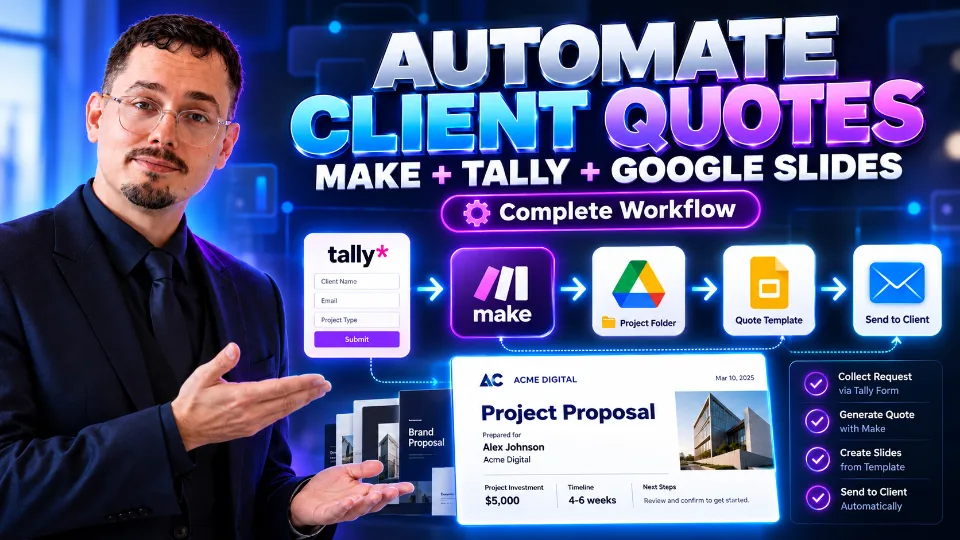
From a form, produce a personalized document and send it by email.
Make: errors, webhooks and best practices
- Error handling and retries
- Webhooks and API calls (HTTP)
- Organization, naming and documentation
- Monitoring operations usage
n8n: nodes, expressions and workflows
- Installation: cloud or self-hosted version
- Nodes, connections and expressions
- Handling data: merge, sort, transform
- Triggers and scheduling
Collect data from several sources and send an automatic report.
n8n: sub-workflows, errors and security
- Sub-workflows and reuse
- Error handling and notifications
- Credentials, secrets and security
- Backup and going live
Integrating AI into your automations
- Calling an AI model from a workflow
- Classifying, summarizing and extracting information
- Generating replies with human validation
- Controlling costs and risks
Classify incoming messages with AI and prepare a draft reply.
Choosing your tool: costs, limits, security
- Comparing Zapier, Make and n8n
- Pricing and volume
- GDPR and data hosting
Project: end-to-end business automation
- Choosing a real process
- Design, implementation and testing
- Documentation and presentation
Each participant automates a process from their own work and presents it to the group.
Tools and technologies
Teaching methods
- Alternating demonstrations and guided hands-on work
- Concrete business cases: leads, invoices, onboarding, reporting
- The same scenario compared across the three tools
- Scenario reviews and best-practice advice
Assessment
- Scenarios built at the end of each tool
- End-to-end automation project presented to the group
- Knowledge-check quiz
Required equipment
- A computer with an internet connection
- Zapier, Make and n8n accounts (free or trial plans)
- A Google account (Sheets, Gmail, Drive) for the exercises
Resources provided
- Course materials and step-by-step guides
- Exportable template scenarios
- Tool comparison table
- Go-live checklist
Career outcomes
- Measurable time savings on repetitive tasks
- Ability to audit and improve your team's processes
- A gateway to building AI agents
Related video courses
My video courses that go with this program, to get ready for the training or to review afterwards. Free with an account.